

Cross-border product selection tools don't give infringement conclusions themselves; they handle bulk pre-screening, and final rights confirmation must go back to official databases. The complete process is: break down items to check, confirm rights in official image libraries, multimodal pre-screening, and result classification—4 steps. It's not, as you might think, a tool for checking sales volume.
In February 2026, EUIPO announced that its DesignView image search has expanded to 76 intellectual property offices (including 44 non-EU institutions) with over 111 million industrial design images. The increased availability of official image search makes pre-listing self-check a routine action, rather than post-incident response.
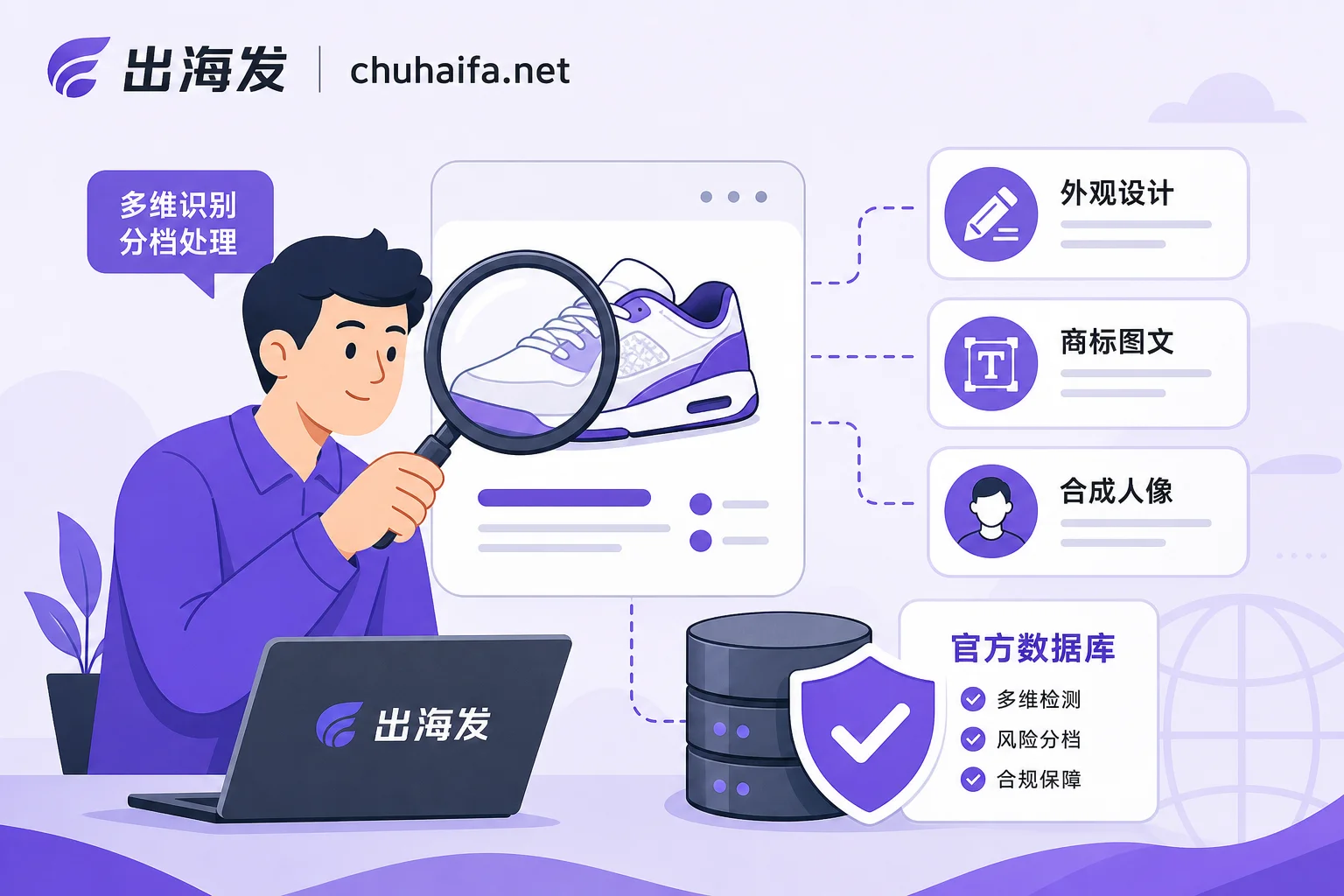
First, Distinguish Three Types of Infringement Risks: Design, Trademark Graphics/Text, and Materials/Synthetic Portraits
The three types of infringement risks target completely different objects. Classify first to apply the right remedy:
| Risk Type | Target for Assessment | Typical Example |
|---|---|---|
| Design | Product form and visual appearance | Cartoon-shaped figurines, specific outlines of earphone cases |
| Trademark Graphics/Text | Graphic logos and brand words | Classic double-C print, logo patterns, series names |
| Materials & Synthetic Portraits | Image copyrights, character features, portrait authorization | Photographic images, anime character images, AI-generated realistic models |
For material and synthetic portrait risks, besides official databases and AI tools, you can also refer to Facebook marketing tools' material review gates to understand common pitfalls in material review before listing.
Step 1: Break Down the Item's To-Check List
When you have a candidate product, don't rush to upload images. Break it down into five positions and list the items to check:
| Position | Items to Check | Risk Category |
|---|---|---|
| Product itself | Form and outline | Design |
| Packaging & hang tags | Packaging structure, brand logos | Trademark graphics/text |
| Printed patterns | Graphics, characters | Trademark graphics/text / Material copyright |
| Brand words & model numbers | Text trademarks | Trademark graphics/text |
| Product detail page materials | Photographic images, model images | Materials & synthetic portraits |
The value of this approach is to avoid checking only the trademark name while missing infringements related to appearance and detail page images. For example, if you sell a phone case printed with a well-known character pattern, checking the trademark name may find no issues, but the pattern itself could involve dual copyright and design risks.
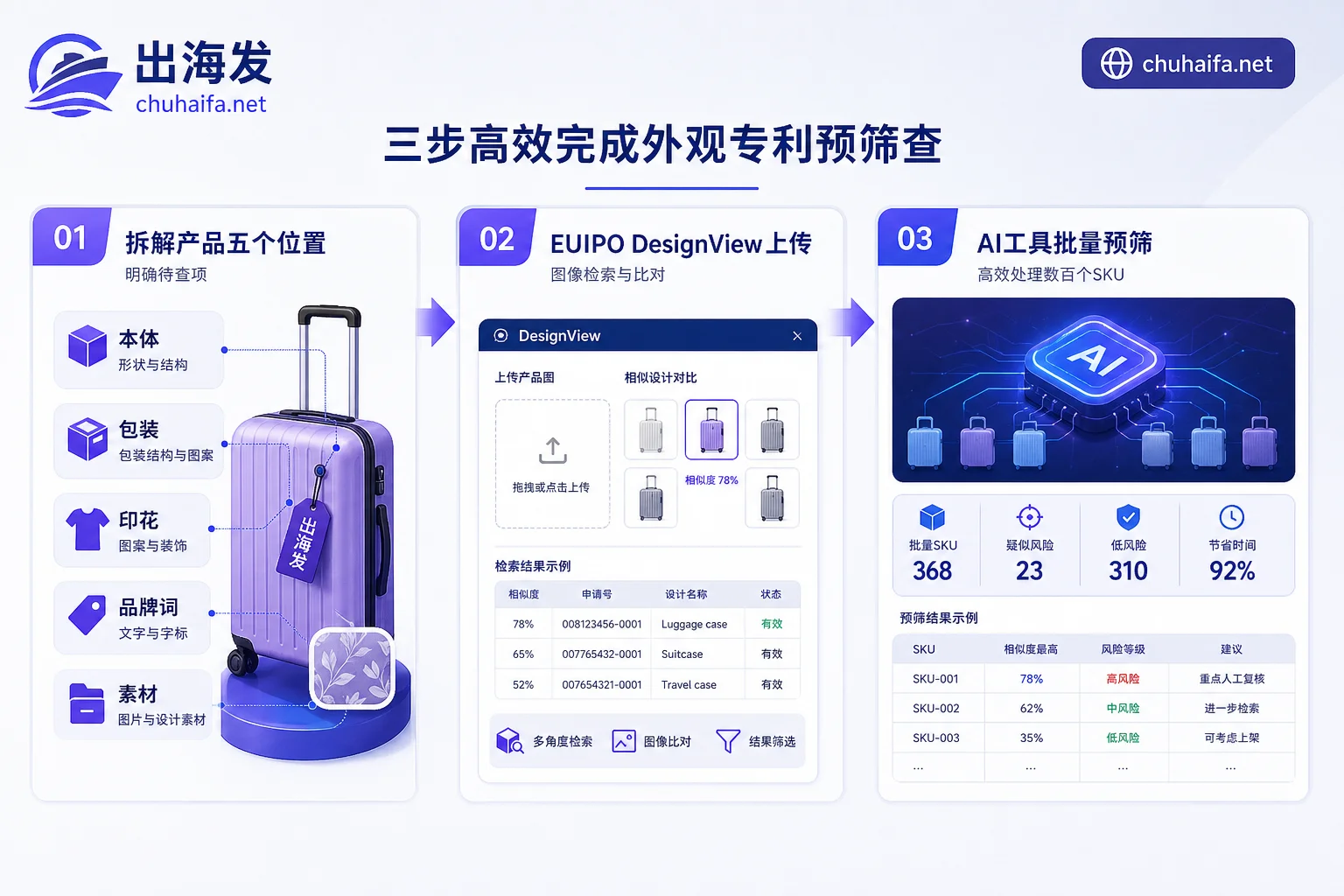
Step 2: Use Official Image Libraries for Rights Confirmation—How to Check Design with DesignView
The official entry points are where final rights confirmation happens. No matter how powerful the image search in cross-border product selection tools is, it's just pre-screening. Currently, three common official entry points are:
| Database | Coverage | Purpose |
|---|---|---|
| EUIPO DesignView | 76 offices globally, over 111 million industrial design images | Upload product images to compare against global designs |
| WIPO Global Design Database | International registered designs | Supplementary checks on international registrations |
| USPTO Patent Public Search | US patents and designs | Check patent conflicts in the US |
Taking DesignView as an example, the operation is straightforward: upload a product image or a partial feature image, and the system returns similar design records. It can find publicly registered design records but cannot find unregistered copyrighted works, unpublished applications under examination, and since examination standards vary by country, not finding something doesn't mean absolute safety.
In addition to design, trademarks must be checked separately—which website to use for checking trademarks in product selection? For international registrations, see WIPO Global Brand Database; for target markets, go to the local trademark office website and search by graphic and text separately.
Step 3: Use Multimodal Detection for Bulk Pre-Screening—Where AI Fits Best
When there are dozens or hundreds of candidate products, manual comparison one by one against official databases is impractical. This is where multimodal AI product selection tools come in: they can simultaneously identify product keywords, logo graphics, and synthetic materials, narrowing hundreds of candidates to a dozen or so that need manual review.
But note, AI pre-screening outputs 'priority for review', not 'whether it's an infringement conclusion'. It doesn't replace official rights confirmation; it's more like a high-speed filter.
Some ask: 'Can AI-generated model images infringe?' The answer is: AI generation doesn't automatically grant exclusive copyright. If the image contains protected trademark elements, copyrighted character features, or unauthorized celebrity portraits, it may still constitute infringement. Moreover, mainstream platforms have disclosure and labeling requirements for realistic AI-generated portraits, so remember to declare according to platform rules when listing. There's also a batch of mandatory changes for AI-generated Listing copy and materials before listing; you can refer to AI marketing tools' mandatory changes before listing.
Step 4: Handle Results by Classification—Can You Still List If Infringement Is Suspected?
The results are handled in three tiers:
| Result Tier | Meaning | Handling Direction |
|---|---|---|
| Clear Conflict | Identical or highly similar design registered in official database | Directly change the product or design; don't rely on luck |
| Suspected Similarity | Exists similarity but not fully confirmed | First check rights status and geographic scope; seek professional legal advice if necessary |
| No Match | Not detected in official database | Only means not detected in current public database; keep search records and timestamps |
'Can I still list if suspected infringement is found?' If it's suspected similarity, it's not recommended to list directly. First confirm whether the design is valid in the target market and whether it's protected in the region where you sell. No match doesn't mean zero risk; keep screenshots and search times as evidence for future disputes.
How to Choose Cross-Border Product Selection Tools: 4 Evaluation Dimensions
From the above checking chain, a truly helpful cross-border product selection tool should have 4 capabilities:
| Evaluation Dimension | Key Question | Why It Matters |
|---|---|---|
| Search Source Coverage | Does it access official databases or only site data? | Site data may lag; more coverage reduces missed detections |
| Image Search & Multimodal | Can it search by image, identify logos and patterns? | Appearance and graphic comparison is core capability |
| Batch Throughput | How many SKUs can it screen at once? | Determines if it supports high-SKU sellers |
| Result Traceability | Can it export records with sources and time? | For future reference and compliance evidence |
When comparing tools against these 4 dimensions, you can refer to the ready-made list in the cross-border product selection and overseas enterprise services category on ChuhaiFa. List quantity and collection speed don't constitute compliance capability; don't be misled by these flashy metrics.
Two Common Misjudgments and a Pre-Listing Self-Check Checklist
There are two common misjudgments: one is 'not finding it means no risk'—in reality, data updates have delays, some rights are not publicly registered, especially copyrighted works which don't get published like patents; the other is 'changing a color or slightly adjusting proportions can avoid similarity'—design similarity assessment looks at overall visual effect, and minor tweaks may not dodge it.
Solidify the following checklist as a step in your new product SOP, and go through it before every listing:
- [ ] Break down the five positions, list items to check and their risk categories
- [ ] Upload product image to EUIPO DesignView to check designs, record results
- [ ] Check brand words and graphics in WIPO trademark database, confirm target market status
- [ ] Use multimodal AI tool for bulk pre-screening of candidates, mark items for review
- [ ] Declare AI-generated materials according to platform requirements and add labels
- [ ] Handle by tier: clear conflicts directly change; suspected similarities first check rights status
- [ ] Keep all official database search screenshots and timestamps
For category-specific tool comparisons, you can refer to my earlier Which cross-border e-commerce platform is easier. The three types of entries involved in this article—official IP databases, graphic/text multimodal detection, and product selection data tools—have been categorized accordingly on ChuhaiFa.
The database capabilities cited in this article are based on official public information (DesignView data as of February 2026 official announcement). Examination standards vary by country, and neither any tool nor the process in this article constitutes legal advice, nor does it provide a guarantee of exemption from liability.
Frequently Asked Questions
How to check if a product infringes before listing?
Follow 4 steps: first break down the to-check list, then use official databases like EUIPO DesignView for rights confirmation, use AI tools for bulk pre-screening, and finally handle results by tier. The key is to treat official databases as the final authority; AI is only for narrowing down.
How to check designs with DesignView?
Go to the DesignView page on the EUIPO website, upload product images or partial feature images, and the system will return similar design records. It supports filtering by country and classification, but cannot find unpublished applications and unregistered copyrighted works; results need to be cross-confirmed with other databases.
Which cross-border product selection tool can check infringement?
No tool can directly give an 'infringement or not' conclusion. You can choose product selection tools that support image search, multimodal recognition, and batch upload, such as SaaS with AI pre-screening functions, but final rights confirmation must go back to official databases. When selecting, look at search source coverage and result traceability.
Can I still list if suspected infringement is found?
It's recommended to first check rights status and geographic scope. If the design is valid in the target market and the similarity is high, don't list. No match doesn't mean absolute safety; keep search records and consult a professional lawyer if necessary.
Which website to check trademarks in product selection?
For international trademarks, check WIPO Global Brand Database; for the US, check the USPTO's Trademark Search; for the EU, check EUIPO trademark search. Chinese sellers often target the US market, so it's recommended to search text and graphic trademarks on USPTO first, then check international registrations on WIPO.
Do AI-generated model images infringe?
AI-generated images don't automatically have exclusive copyright. If the image contains protected trademark elements, copyright characters, or celebrity portraits, it may still infringe. Moreover, mainstream platforms have disclosure requirements for realistic AI portraits; remember to handle according to platform rules before listing.